CycloSense Ride Dashboard
See every active ride on one screen. Know instantly when something goes wrong. Take action before seconds matter more than they already do.
Everything You Need to Keep Riders Safe
From live tracking to emergency response — all the tools your safety team needs in one place.
Live Rider Tracking
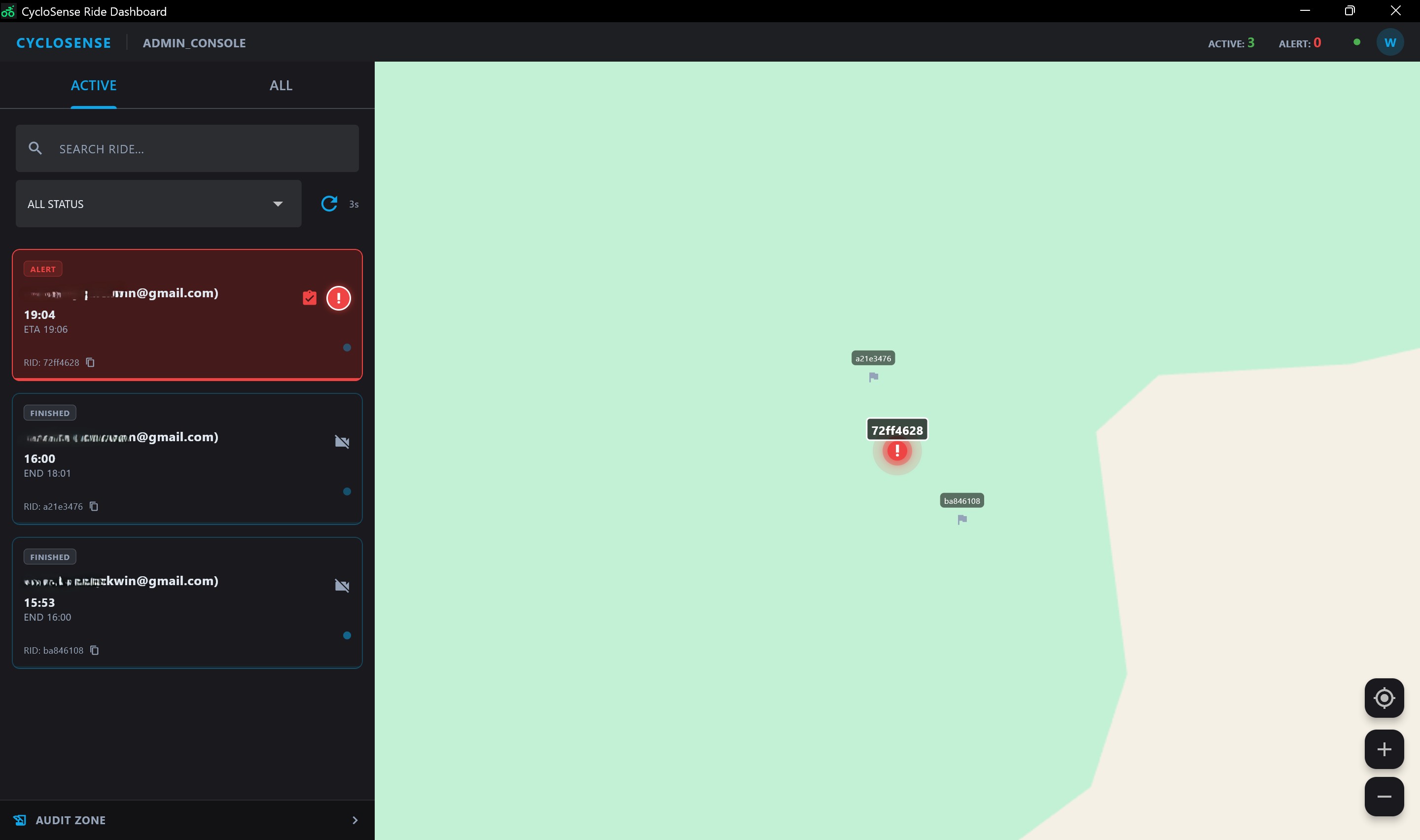
Every active rider, every position update — on one map, in real time, with zero lag.
Real-timeImpossible-to-Miss Alerts
Full-screen takeover. Red flash. Max volume. Window forced to front. The alert won't stop until you act.
Life-savingActive & Historical Rides
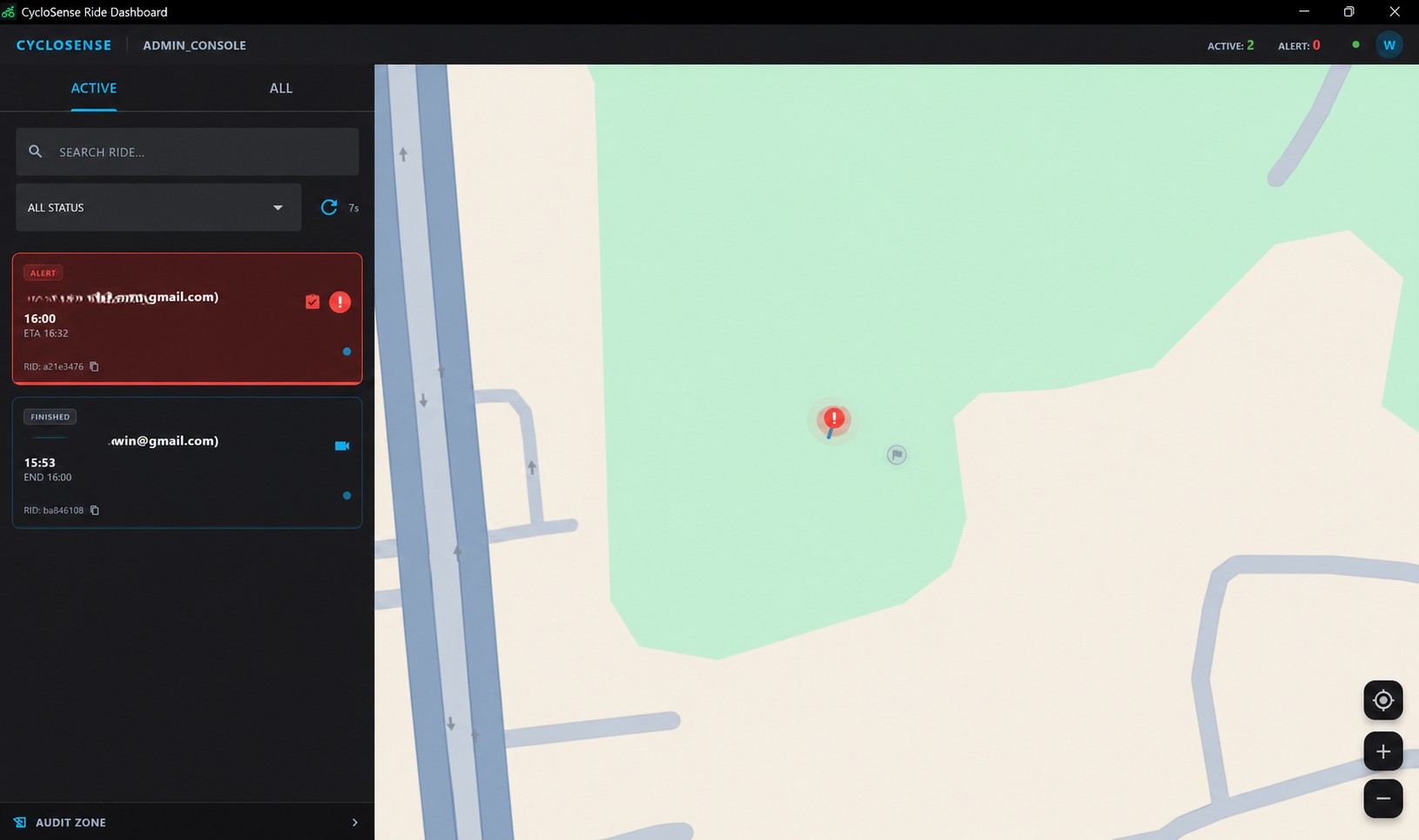
Alerts surface to the top automatically. Scroll through thousands of past rides — smooth, fast, no pagination lag.
FastRide Replay
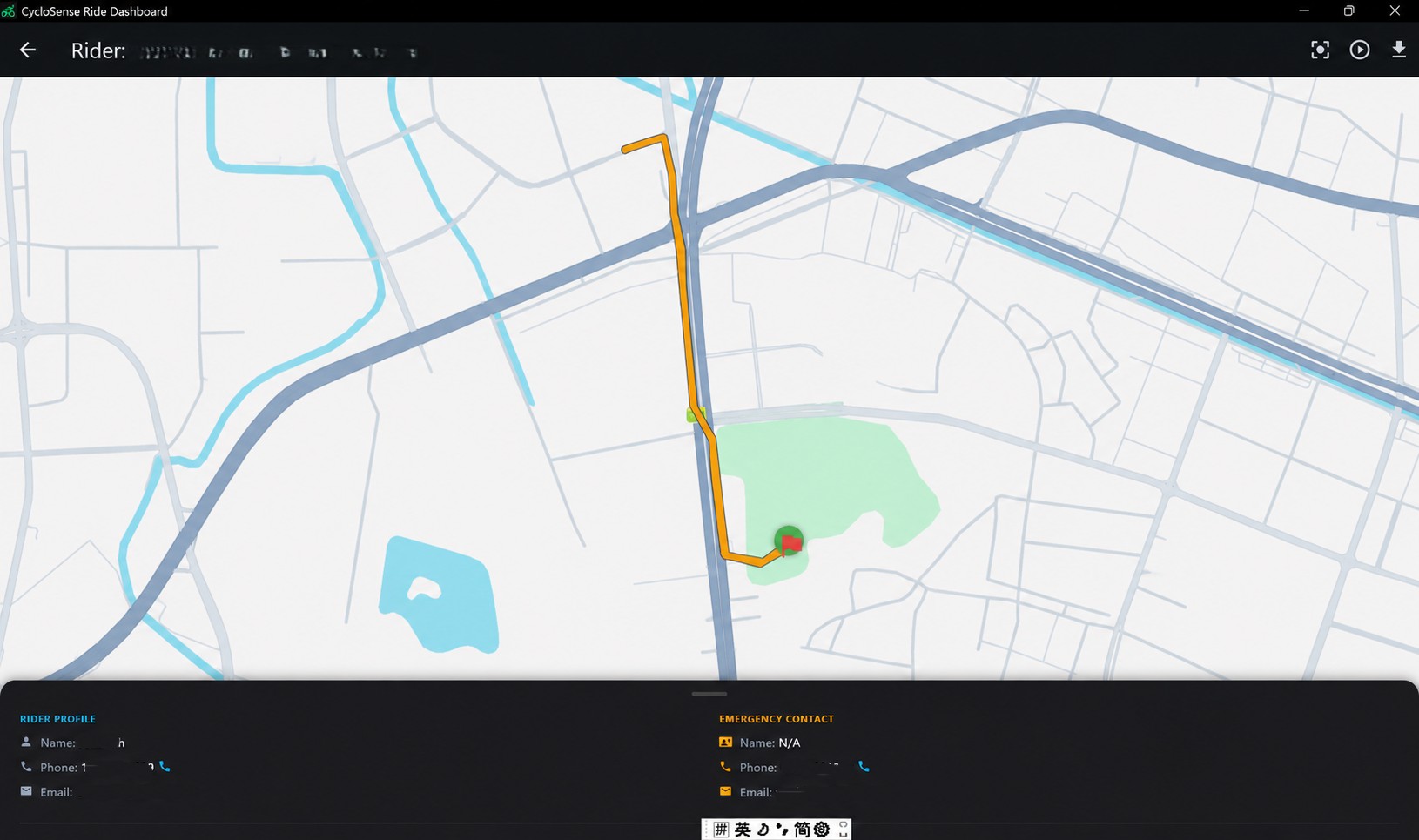
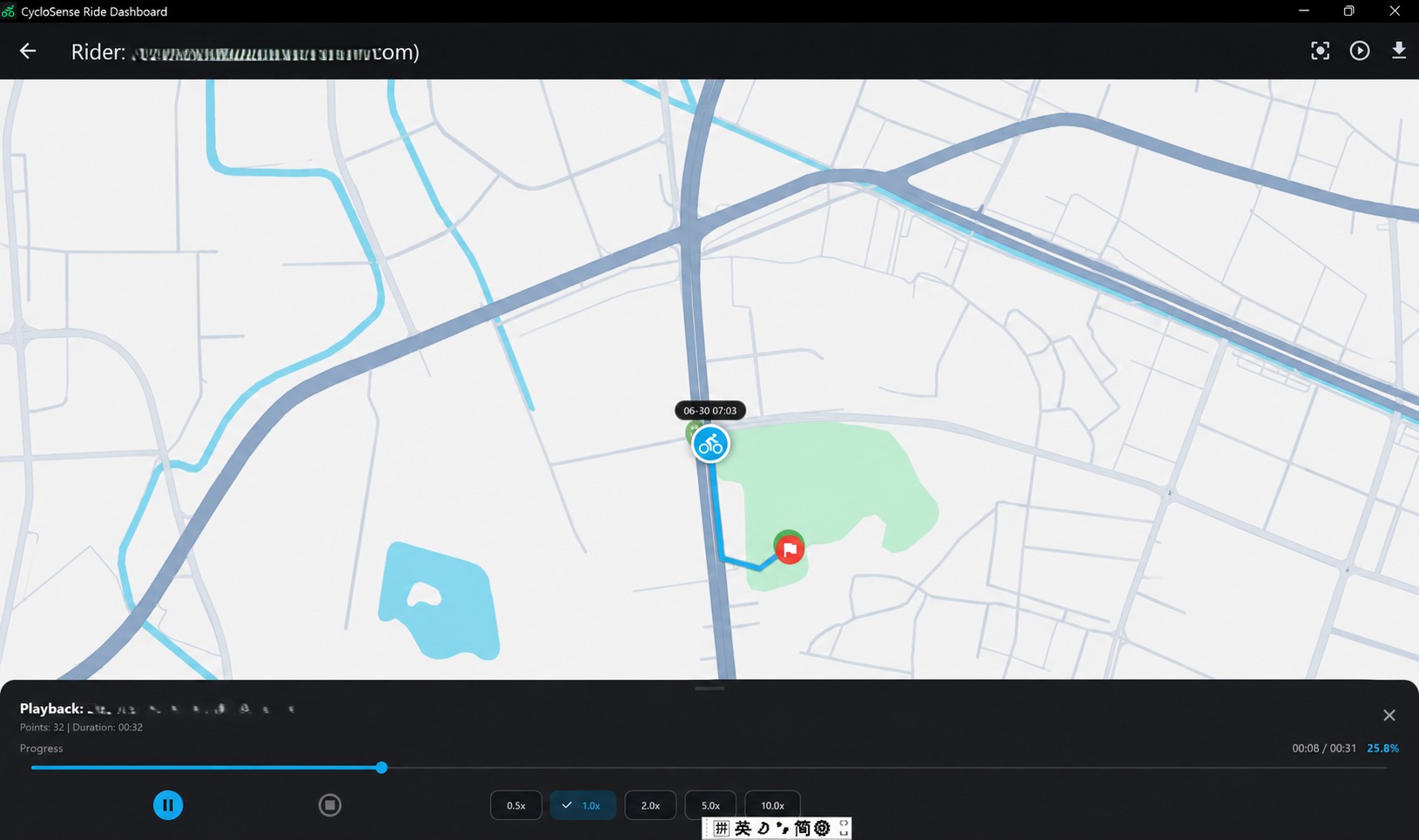
Rewind any completed ride. Speed up to 10x, slow down to inspect every turn. All cached locally for instant access.
Offline-readyComplete Audit Trail
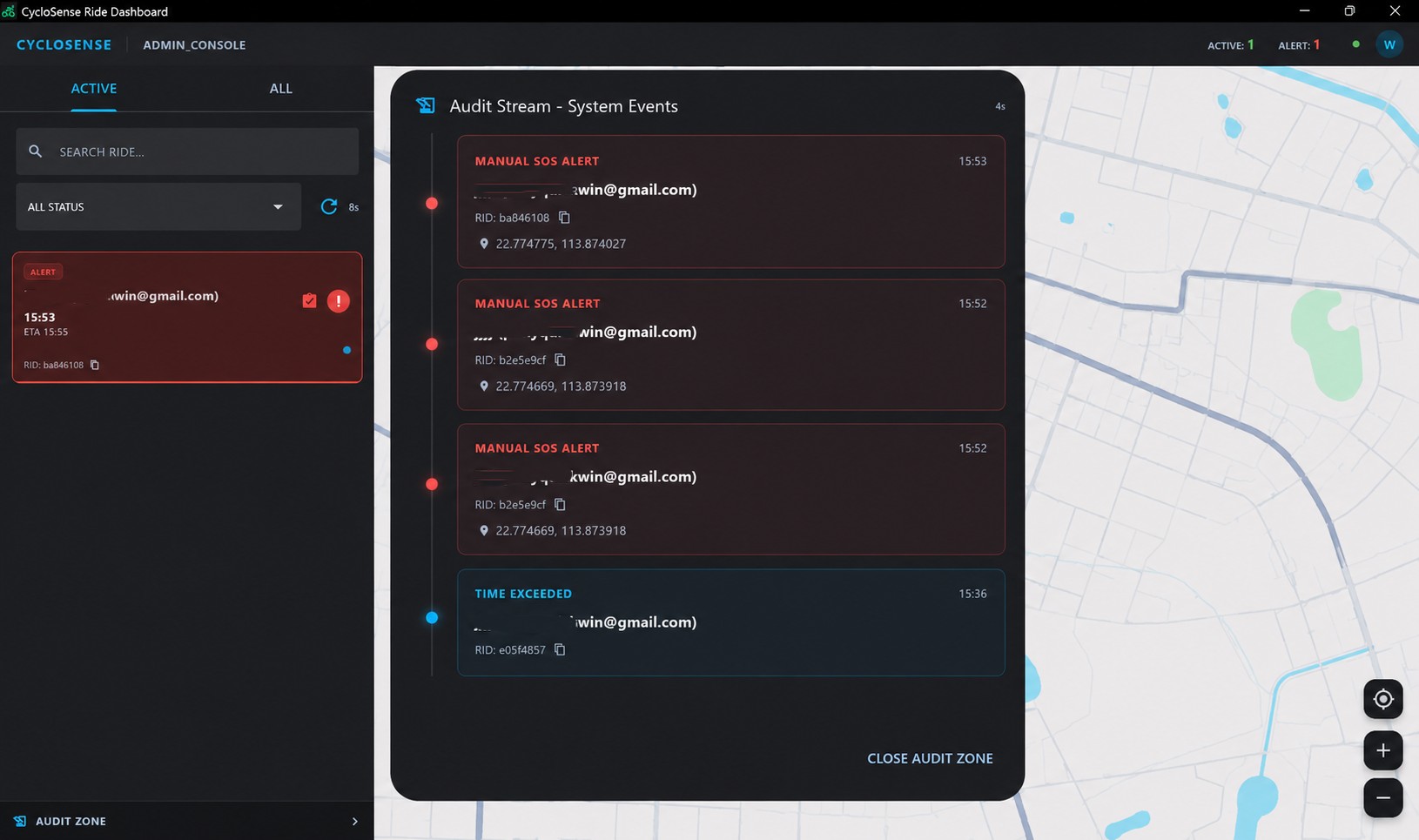
Every safety event — who handled it, when, and how — streams live and stays permanently searchable.
AuditableRole-Based Access
Admins see the entire fleet. Team leads see their riders. Individuals see only their own trips. Nothing more, nothing less.
SecureThree Kinds of Emergencies We Watch For
Each triggers a different response depending on who's watching — because an admin and a family member need different information.
Sudden Stop
A rider stops moving mid-ride. For safety operators: the screen flashes red, an alarm sounds at full volume, and the window forces itself to the front. For family members watching: a clear amber notification with a single alert chime — enough to get attention without causing panic.
Ride Running Late
A trip exceeds its planned time. The system escalates automatically — moving the ride to the top of the list and marking it urgent until someone confirms the rider is safe.
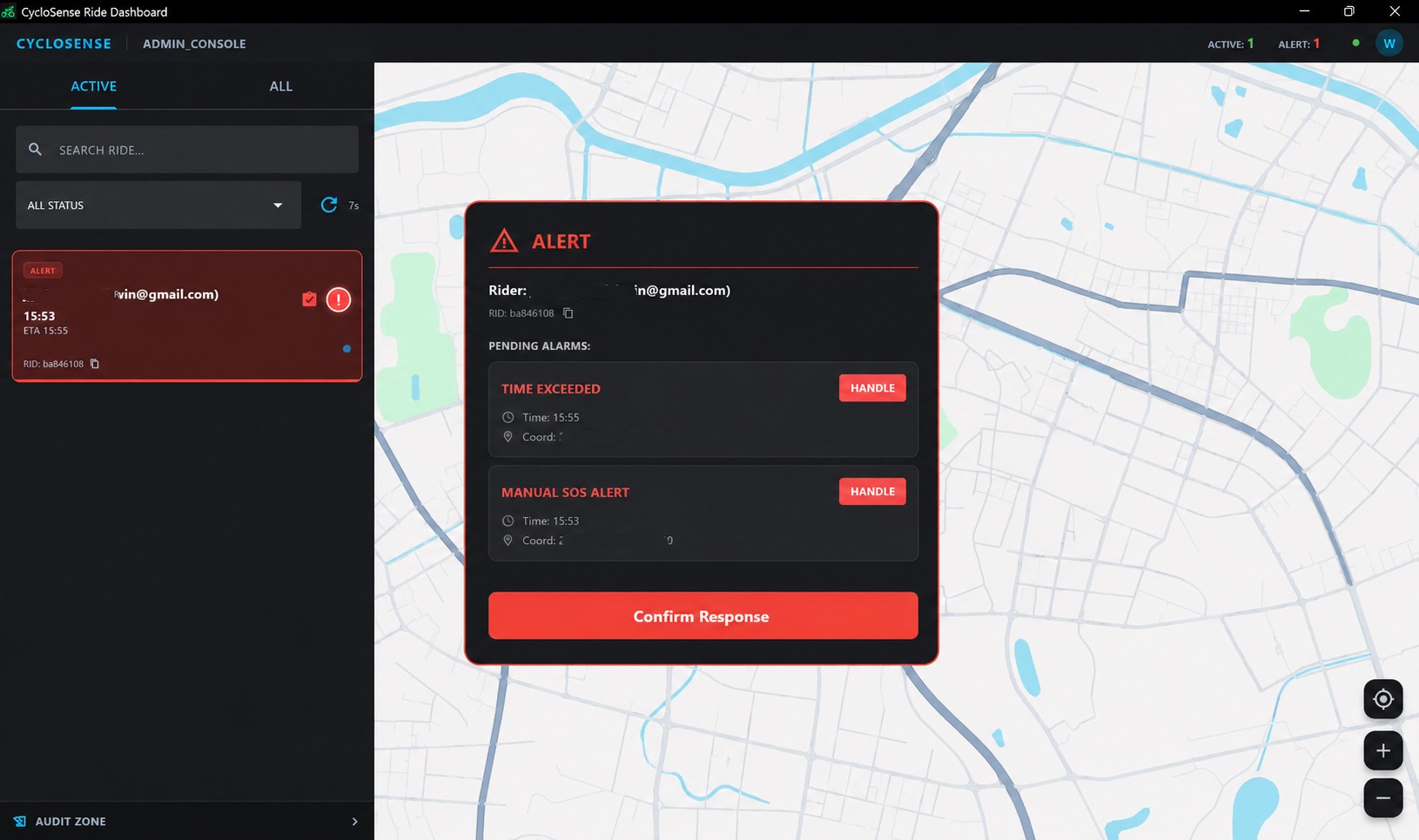
Rider Pressed SOS
The rider triggered an emergency call for help from their phone. Their last known location appears in large text on screen. The alert stays active until a team member explicitly confirms they've handled it.
Dashboard in Action
From the main monitoring view to alert handling and route playback — here's what your team will see every day.
Get the Dashboard
Available for Windows, macOS, and Linux. A native desktop app — not a browser tab. Stays responsive under heavy load, with system-level alerts that demand attention.
FAQ
It's a desktop application for cycling safety operations — think of it as the command center where your team monitors rides, handles emergencies, and reviews trip history. It connects directly to CycloSense's cloud backend and runs natively on your computer, not in a browser.
Three groups. Safety administrators overseeing an entire fleet — they see everything. Team leads and family members monitoring a specific group of riders — they only see the people they're responsible for. Individual riders reviewing their own trip data. Each role sees exactly what they need, nothing they shouldn't.
Absolutely. Finished rides are stored on your computer after the first time you view them. Replay any trip — speed up to 10x, slow down to examine details, or jump to specific moments. Once cached, everything loads instantly.
Windows, macOS, and Linux. Same experience across all three. The app integrates directly with each operating system — so things like taskbar flashing, always-on-top windows, and system audio work exactly the way you'd expect on your platform.